


Bwat for VS Code
A coding agent that shows you every change
Hand it a bug fix, a new feature or a pile of failing tests. Bwat reads your project, edits as many files as the job needs, runs your tests, and puts every change in front of you as a diff you can edit before it lands.
Works in VS Code on Windows, macOS and Linux.
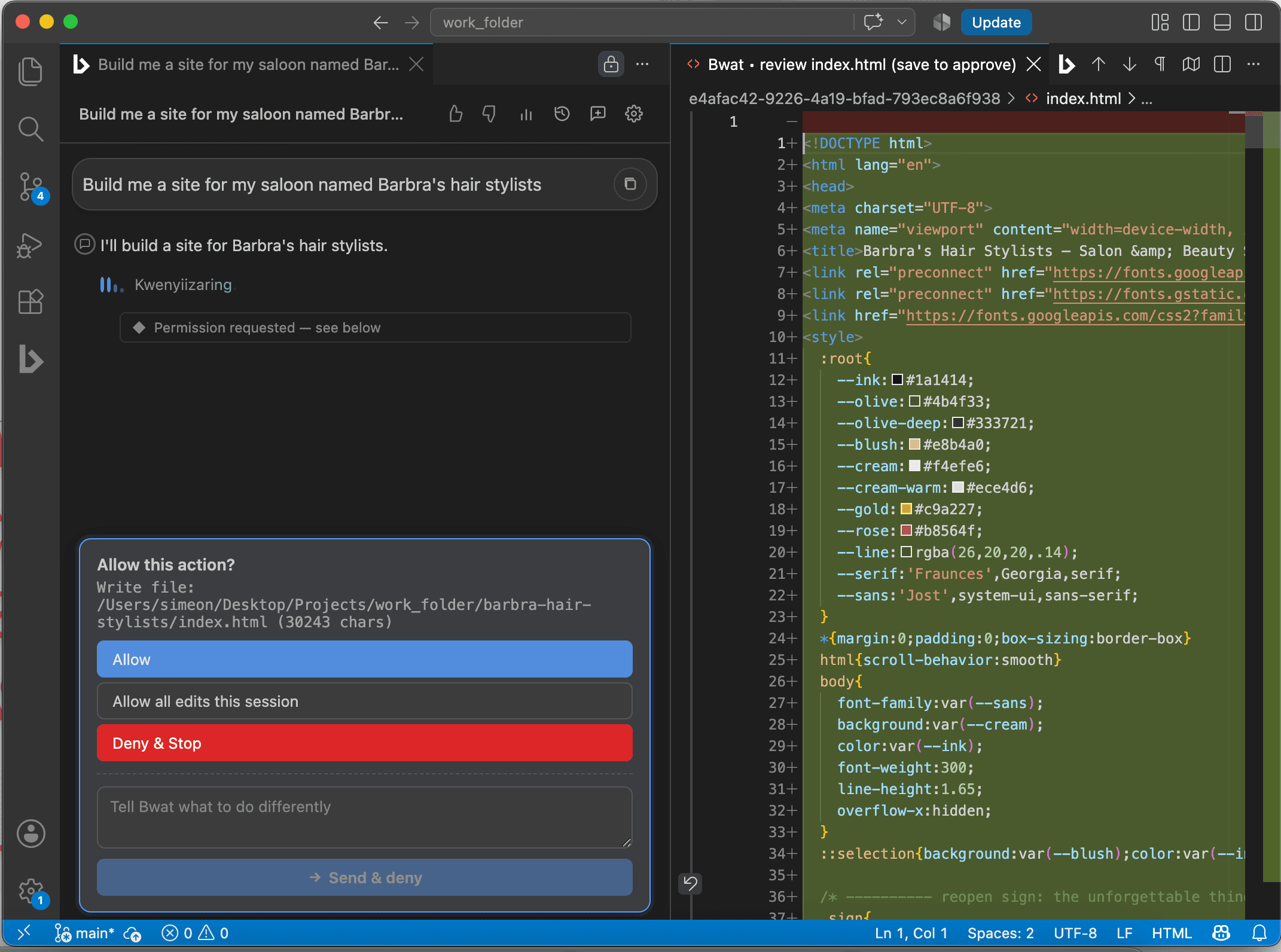
It reads before it writes
Before it changes anything, Bwat looks around. It searches the project, follows how the pieces connect, checks the errors VS Code is already showing, and reads the instructions your team keeps in files like AGENTS.md. So the change fits the code you have.
- Searches and reads the whole workspace
- Uses your selection, open files and Git status
- Keeps a private memory of how your project works
- Runs your own test and build commands
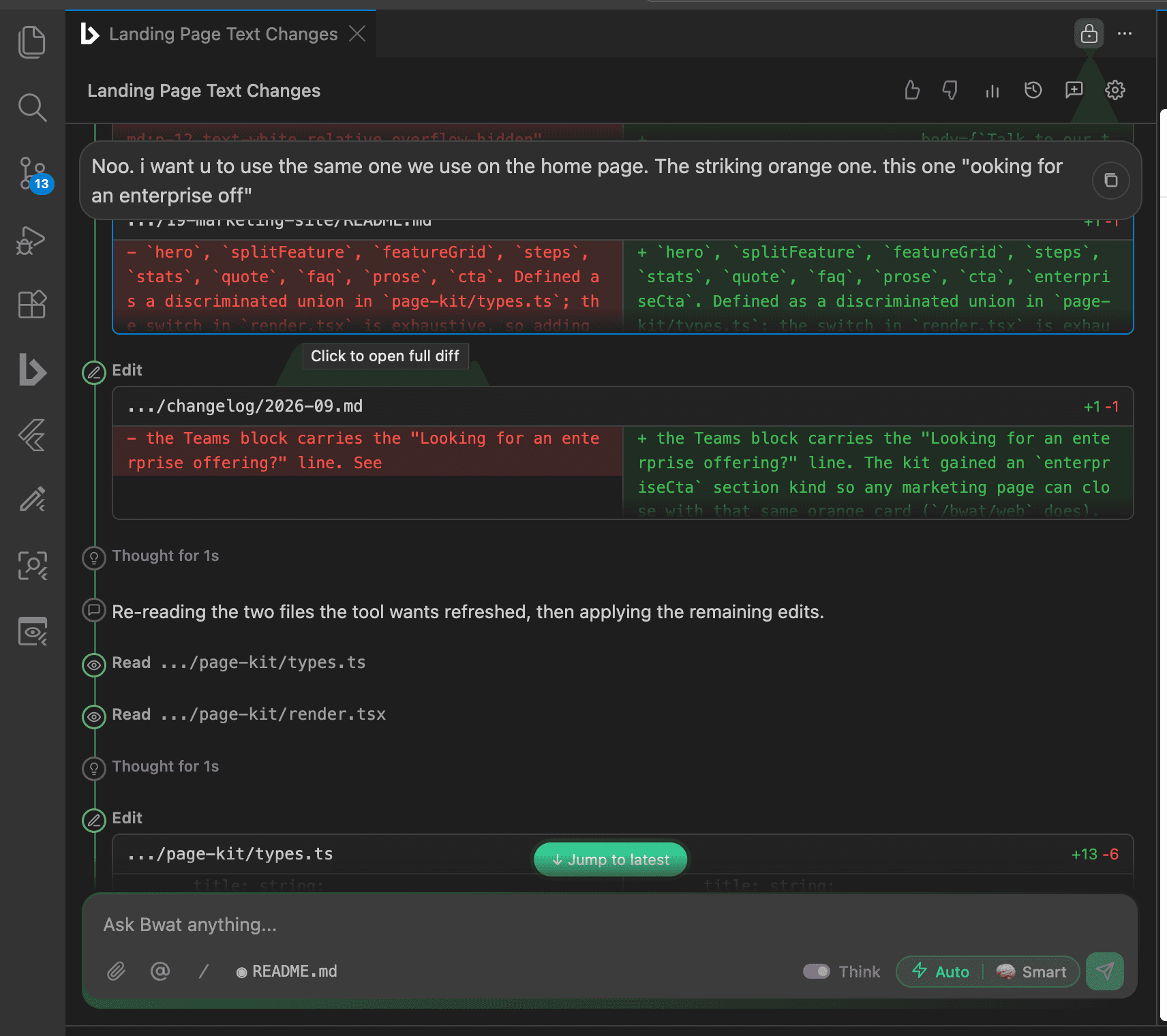
You decide how much it does alone
Every edit opens as a real VS Code diff. Read it, change it yourself, save to accept or close it to say no. And you can stop a run at any point. Pick the mode that suits the job.
Permission modes
Bwat asks before every file edit and every command. Start here in any project you care about.
Jobs people hand it
Explain unfamiliar code
Ask how a request travels through the app and get the answer with the files named.
Fix the actual bug
It reproduces the problem, finds the cause, makes a focused fix and checks it.
Build a feature
Changes across several files, written the way the rest of your project is written.
Write the tests
Finds what isn't covered, copies your test style, and runs the smallest set first.
Review a branch
Reads the real diff and points out bugs, risky handling and missing tests.
Stay in bounds
Its file tools only reach the open workspace and any folders you add yourself.
Before you install
- Is this the same agent as the CLI?
- Yes. The extension and the CLI run the same agent and share local sessions on the same machine. Use VS Code when you want diffs in the editor, and the CLI for terminals, SSH and scripts.
- Does my code leave my computer?
- Your project stays on your computer. When the model needs to think about some code, that part is sent through Bwat's servers to the AI provider. The extension never holds a provider key itself.
- Can it work without asking every time?
- Yes, if you let it. Switch to Edit automatically or Full Auto. We'd stay in Manual until you've seen how it behaves in your project.
Try it on code you know well
Ask it to explain one part of your app, or fix one bug you can reproduce. On familiar code you'll know straight away whether it got it right.